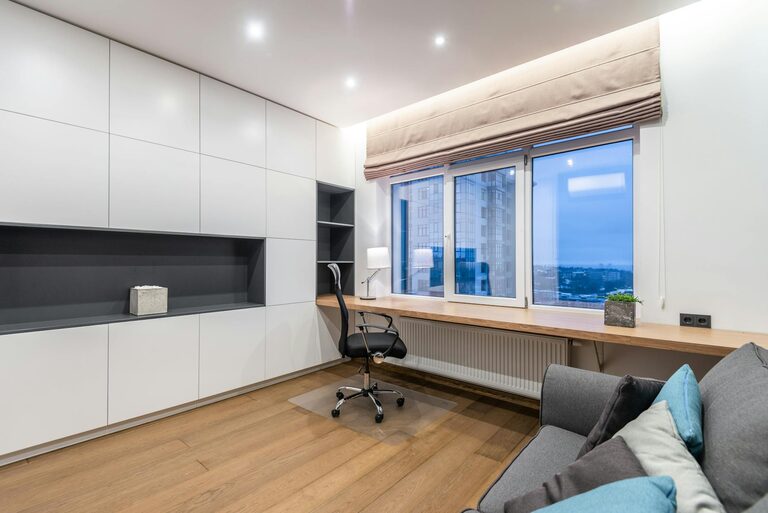
Creating a home workspace that combines comfort and productivity can significantly improve your work-from-home experience. Whether you’re setting up a dedicated office or carving out a nook in your living space, designing an environment that keeps you motivated and stress-free is essential. Here are some helpful tips to guide you in creating a cozy and productive home workspace.
1. Choose the Right Location
The first step in setting up your workspace is selecting a suitable spot. Ideally, pick a space that is:
– Quiet and free from distractions: Avoid high-traffic areas and noisy zones to help maintain focus.
– Well-lit: Natural light boosts mood and reduces eye strain. Position your desk near a window if possible.
– Separate from relaxation zones: If space allows, keep your workspace distinct from places where you relax to help mentally separate work from leisure.
2. Invest in Comfortable and Functional Furniture
Your furniture plays a crucial role in both comfort and productivity.
– Ergonomic chair: Choose a chair that supports your back and encourages good posture.
– Appropriately sized desk: Ensure your desk has enough surface area for your equipment without feeling cramped.
– Adjustable options: Consider sit-stand desks or adjustable monitor stands to vary your position throughout the day.
3. Organize Your Space Efficiently
A clutter-free workspace helps reduce stress and improve focus.
– Use organizers and storage: Drawers, shelves, and boxes can keep supplies tidy.
– Limit desktop items: Keep only essentials on your desk to limit distractions.
– Cable management: Use clips or sleeves to keep cords neat and out of the way.
4. Personalize Your Workspace
Adding personal touches creates a space you enjoy spending time in.
– Artwork and photos: Hang calming or inspiring images.
– Plants: Indoor plants improve air quality and add a natural, soothing element.
– Soft textiles: A cozy throw or chair cushion can enhance comfort.
5. Optimize Lighting
Good lighting prevents eye strain and sets the mood for productivity.
– Maximize natural light: Open blinds or curtains during the day.
– Task lighting: Use desk lamps with adjustable brightness for focused work.
– Avoid glare: Position screens perpendicular to windows to reduce glare.
6. Minimize Noise and Distractions
Noise can interfere with concentration, so consider ways to reduce it.
– Noise-cancelling headphones: Useful if you can’t control ambient sound.
– Soft background music: Some find gentle instrumental tunes help focus.
– White noise machines or apps: These can mask distracting sounds.
7. Maintain a Healthy Routine
Your workspace supports your routines, and your habits help shape the workspace.
– Take regular breaks: Stand up, stretch, or walk briefly every hour.
– Keep hydration nearby: Staying hydrated supports focus and energy.
– Set up a routine: Start and end your workday consistently to create structure.
8. Ensure Proper Technology Setup
Reliable technology is key for smooth workflow.
– Ergonomic keyboard and mouse: Reduce strain on hands and wrists.
– High-speed internet: Ensure your connection supports video calls and uploads.
– Backup power solutions: A surge protector or UPS can prevent data loss during outages.
9. Keep It Flexible
Sometimes your workspace needs to adapt.
– Portable workspace elements: Use lap desks or foldable tables if you need to change locations.
– Modular furniture: Choose pieces that are easy to move and rearrange.
– Regular updates: Refresh your space periodically to keep it inspiring.
—
Creating a home workspace that feels both cozy and productive can improve your work quality and overall well-being. By thoughtfully selecting your location, investing in comfortable furniture, organizing efficiently, and personalizing your environment, you set the stage for success. With these tips, you’ll enjoy a workspace that balances comfort and focus, making your home office a place you’re happy to spend time in every day.