
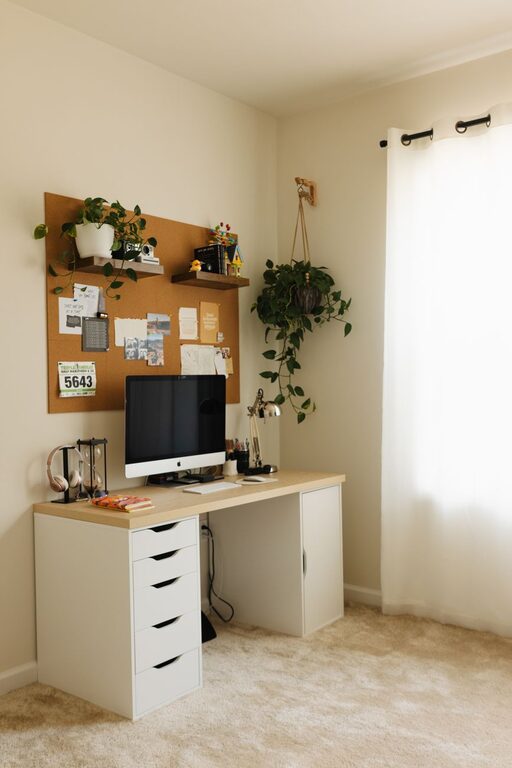
Creating a home office space that is both cozy and productive can make a significant difference in how effectively you work. Whether you are freelancing, working remotely, or managing household tasks, having a dedicated area designed for focus and comfort can boost motivation and well-being. In this guide, we’ll explore key steps to set up a home office that feels inviting and supports your productivity goals.
Why a Cozy and Productive Space Matters
When your workspace feels comfortable, it reduces stress and makes it easier to concentrate for longer periods. A productive environment helps eliminate distractions and keeps you organized. Striking the right balance is important: too cozy might lead to relaxation and procrastination, while too sterile can cause discomfort and fatigue.
Step 1: Choose the Right Location
Consider natural light
Locate your office near a window if possible. Natural light improves mood and energy levels. Try to position your desk so that light comes from the side, reducing glare on your screen.
Minimize distractions
Pick a quiet corner or room away from high-traffic areas. If that’s not possible, use noise-cancelling headphones or sound machines to block out background noise.
Think about space requirements
Make sure your chosen spot fits your needs—desk, chair, storage—and leaves enough room to move comfortably.
Step 2: Invest in Ergonomic Furniture
Desk
Choose a desk that fits your workflow, whether it’s a large table or a compact writing desk. Adjustable desks, including standing options, offer flexibility.
Chair
A supportive chair is crucial for maintaining good posture throughout the day. Look for options with adjustable height, lumbar support, and comfortable cushioning.
Accessories
Use a monitor stand to keep your screen at eye level. An external keyboard and mouse can further enhance ergonomics.
Step 3: Optimize Lighting
Layer your lighting
Combine overhead lights with task lighting, like a desk lamp, to reduce eye strain.
Choose warm light
Warm light bulbs (around 2700K) create a cozy atmosphere, while cooler bulbs (4000K–5000K) tend to promote alertness. Balance the two depending on the time of day.
Step 4: Personalize Your Space
Add soft textures
Include cushions, rugs, or throws to make the office feel welcoming.
Decorate with plants
Indoor plants can boost your mood and improve air quality.
Display inspiring items
Photos, artwork, or motivational quotes can help keep you focused and uplifted.
Step 5: Organize Efficiently
Declutter regularly
Keep only the essentials on your desk to maintain a calm environment.
Use storage solutions
Shelves, baskets, and drawer organizers help manage papers, supplies, and gadgets neatly.
Establish a filing system
Whether physical or digital, organizing documents makes it easier to find what you need quickly.
Step 6: Manage Technology
Reliable internet connection
Ensure your workspace has strong Wi-Fi or a wired connection to avoid interruptions.
Cable management
Use clips, ties, or sleeves to keep cables tidy and reduce mess.
Backup and power
Consider a UPS (uninterruptible power supply) for important devices and regularly back up your files.
Step 7: Set Boundaries and Routines
Define work hours
Establish specific work times to separate your professional and personal life.
Use reminders and breaks
Incorporate breaks to avoid burnout. Techniques like the Pomodoro method encourage focused intervals with rest periods.
Communicate your schedule
If you share your home with others, let them know your designated work times to minimize interruptions.
Final Thoughts
Designing a cozy and productive home office is about blending comfort with functionality. By paying attention to location, ergonomics, lighting, and organization, you can create a space that supports your work while making your time at home enjoyable. Small personal touches combined with smart setup choices will help you stay motivated and efficient every day. Take the time to tailor your workspace—it’s an investment in your well-being and success.